Real Stock in Europe:
Zero customs fees or import surprise taxes within the EU. Dispatched directly.
⚡
Fast Tracked Shipping:
Ultra-secure protective packaging with 24/48h tracked dispatch.
📸
Actual item photos & serial checked:
The exact unit in photos is what you receive. Fully tested, inspected and working.
🔒
100% Secure Checkout:
Credit Card, PayPal, Apple Pay & Shop Pay. Buy direct with full buyer protection.
🇯🇵 100% OFFICIAL TAKARA TOMY ARTS / MARVELOUS JAPAN IMPORT
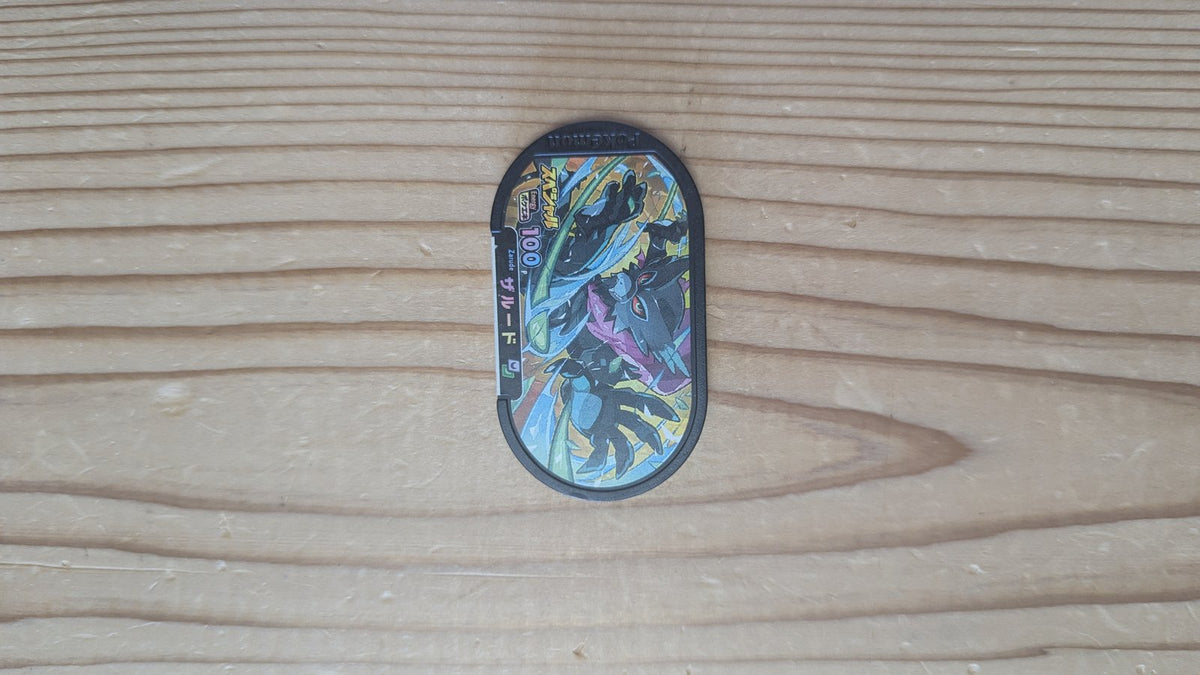
Collector bundle of 5 official Japanese Pokémon Mezasta promotional arcade tags. Distributed exclusively at official Pokémon Center events, tournaments, and promotional partnerships in Japan. Each tag features unique promotional artwork not obtainable in standard arcade drops.
Lot Highlights & Authenticity
Authentic Japanese Arcade Release: Manufactured exclusively in Japan for the official Pokémon Mezasta arcade machines (ポケモンメザスタ).
Interactive Components: High-density acrylic construction with embedded RFID chip and clean rear optical QR code.
Collector Condition: Pre-owned Japanese arcade stock, carefully inspected, sorted, and preserved.
European Shipping Guarantee: Dispatched securely from Spain with zero customs duties or import handling fees for European Union buyers.
380 grams (0.38 kg) - Includes Protective Packaging
📦 Packaging & Collector Protection: Every tag lot is packed in individual sealed pouches and dispatched in a reinforced cardboard shipping box with moisture barrier protection.
Choosing a selection results in a full page refresh.
Opens in a new window.
PayPal Pay Later Messaging
Step 1: Choose message placement
Click the button below and then hover over your page to select a placement.
Step 2: Paste and save
You have copied the placement for the Product Page.
Go back to the App Embeds section, and in the Paypal Advanced Settings, paste the copied value into the
Product Page field and click the 'Save' button in the top right corner.